Time: Game Maker Blog
Latest Active Project:
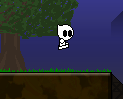
Octohead
Genre: Platformer
Started: April 1, 2010
Latest Download: Blog Post
Version: 0.1
2009-07-08

Out of the Vault: Water Engine

I made this engine a little while ago and was quite proud of it at the time. It simulates 2D water waves on a quite processor-heavy scale, but gives a pretty cool effect. Upon closer inspection, you'll notice that the waves do not spread outwards in a normal manner, which was the ultimate downfall of this project. As you can see, the waves do not stay constant and move outwards, but rather force is picked up along the line, and it seems to act like more of an absorptive jello. Anyways, the controls and such are all listed in the game, and there are many sliders to screw around with to help you achieve your own effect.
Photobucket

Download Links:

If you look off to the bottom right of page (below the affiliates box), I have added the online highscores list for Unhinged, so if you play you can find them!

Platformer AI

I've become obsessed with making AI opponents recently, which led to my development of a platformer AI for enemies. They hop, they walk, and they go after the player, and you can use it if you want! I've put up a .gmk version of the game as well as an executable with fully commented code for your programming usage. If you feel the need, I'm allowing full access to the sprites/images and such as well (although they aren't incredible on any scale). Here's a screenshot of gameplay below (includes a flying sword that you can use to defend yourself and pelt the enemies with repeatedly until they die):
Photobucket

Controls:
  • Arrow Keys for movement
  • [Space] to toggle the sword.
Download Links:
.gmk

.exe

Also, if you'd like to look to the bottom right of the sidebar, there is an affiliate section. I've been picking and choosing sites to try and get a little advertising to get this blog out. If you'd like to become an affiliate, please e-mail me at c.ullmann@hotmail.com with the name of your site, the URL, and the image for your affiliate banner (88x31 image). I will send you my banner as well, which will appear as below:
Time

2009-07-06

Life Simulation: Major Update! (Might be finished soon!)

I have renamed the simulation to "Genesis."

I think I'm about done with this simulation! I added a new creature (a small "velociraptor" as I've begun to call it) that will attack in groups against the herbivores, who will also attempt to stay in groups to avoid being eaten. The largest creatures, as always, lumber about killing anything smaller than itself. The night and day system has also been improved as I added a nice time-measurement at the top (a sun that moves across the screen that turns into a moon at night). The animals can only sleep if it is night-time, so once they have been injured during the day, they need to stop and wait until sun-down to regain their health.

To elaborate on my earlier mention of "groups," I spent much of today creating a pack mentality among creatures (the velociraptors and herbivores) which is based off of a few simple rules.

  • If a creature is close enough to another creature, a leader will be chosen from among them.
  • If a creature strays outside of a radius of the leader or can not see the leader, they are not part of the pack any longer.
  • If a creature moves away from the pack, but is still close enough to the pack to be part of it, they will attempt to move closer to the pack.
  • If a creature is not in a pack, it will move towards the closest member of its species to attempt to start one or become a member of that member's pack.
  • *Carnivores only* If the leader chooses a target to attack, all of the members of the pack will attack that creature as well.
These simple rules dictate many of the actions of the animals in the game, and make it a little more interesting. The velociraptors are weak and vulnerable on their own (they are lucky if they can take down even one herbivore on their own) but as a group they are able to take down a couple of them at once. This addition really added a little more reality to Genesis because it made the animals more interdependent rather than stand-alone.

Here's a simple screenshot of this version featuring the moon/time-keeper as well as the velociraptors (and their small footprints):
Photobucket

For those of you who are unfamiliar, here is the foodchain of the simulation:
Grass -> Herbivore -> Velociraptor -> Large Predator

The large predator will eat herbivores and velociraptors, while velociraptors will run from large predators and eat herbivores. Herbivores will eat grass and avoid all carnivores.

Slight controls update:
  • Left click and drag to select units.
  • Right click to make the selected units move towards the mouse.
  • [Shift] sets the current time to sun-down/sun-up.
  • Press [D] to toggle the different debug options which are:
1. See the target movement positions of each animal.
2. See the ranges for running and walking for each animal
(vary by daylight).
3. See the pack memberships
(lines are drawn from each animal to its leader).
4. See all of the above at once.

Download Links:
2009-07-05

Life Simulation: Update!

I decided to add a little update to "Life" since I got bored today. Generally, it is graphical with the addition of trees, nicer graphics for the herbivores, and footsteps for the carnivores, but there are also a few changes with the actual AI and overall concept with the addition of a night and day system which limits sight among the creatures (i.e. their walking ranges and hunting ranges are decreased to be much smaller) as well as a fun little random rain here and there that I thought would fit in nicely (effect by Game Cave Effects Engine). The herbivores also take a few bites by the carnivores to kill, and they will run a bit quicker when injured because they're more scared. The emotion-signs that the creatures display will always stay inside the room, making it easier to track them once they're outside the window. Here's a screenshot of what I've got:
Photobucket
If you look closely, you can see the carnivore's tracks, as well as the new sprites for the herbivores. There's also a tree or two in there, and you can see that one of the herbivores is hurt and sleeping. The emoticon for sleep is also a new addition above the predator.

Download Links:
MediaFire
WillHostForFood
2009-07-04

Cube Runner Clone

This program was my second venture into using Game Maker's 3D functions. I am still quite inexperienced with Game Maker in this regard, but I hope to get better in the future. As for some background on this game, it was created as a clone of the game "Cube Runner" for iPod where the player is a small object that runs forward dodging cubes in the process. The game runs forever and the player has to try and top the highscore. Using simple spheres, cubes, and textures, I put this together one evening just to try out making 3D games and it went pretty well. Below is a screenshot of gameplay:

Exploration Game

I began a short time ago making an exploration-type game based off of Knytt Stories by Nifflas' Games with the help of Lewa from the GMC. We've worked on a couple games together and we seem to do pretty good work as a team. I've pretty well dedicated myself to being just a graphics designer for this game, rather than a programmer, but I have done some work on it as a programmer. Here are a couple of screenshots of the game (no color or shading on the player yet, but we're just trying to get the engine going):
Photobucket
More [1][2]
I've been trying to get a nice feel for the game rather than having it be a lot of running around and punching enemies, which can be shown by the fact that we haven't even started graphics or programming for any of the enemies!

For anyone who is interested, Lewa did the wonderful ambient music for the game (only one has been put in so far, but he has more coming!)

Download Links:
2009-07-03

A Generic Tower Defense

I decided to create "A Generic Tower Defense" to show some people in my programming class how easy Game Maker is to use as opposed to using Visual Basic and C++. This game I consider pretty well finished (unlike some other people who think I should keep working on it) and I'm glad to put it out here. The controls are very simple to use, consisting of a lot of left-clicking on things, and pressing [space] for the next wave. There are 6 different towers to choose from:

(Below pasted from the Game Maker Community topic)
  • Basic Tower: Starts with a mid-level attack range with an AOE shot and upgrades to higher range, shooting speed, damage, and AOE.
  • Ice Tower: Stops enemies that it shoots who come within its very small range. Upgrades to longer lengths of freeze.
  • Poison Tower: A tower that shoots poison darts that will poison enemies into being hurt for a period of time. Upgrades to longer poison time and a higher shooting speed.
  • Flame Tower: Blasts flames in a radius that will damage any enemy nearby. Good early on, but can be near useless later on. Upgrades to shorter times between explosions and more damage.
  • Epic Tower: An expensive tower that shoots quickly and with very damaging bullets. Does not upgrade.
  • *NEW* Darkness Tower: This tower spits out small enemy-seeking missiles that will continue to hunt down enemies for a period of time that can be increased through upgrades.
Screenshot:
Photobucket

Download Links: